Every Nabooki feature is built around the same idea: give independent tour and activity operators professional booking infrastructure without the platform tax. Here’s a closer look at what’s inside.
Online Bookings
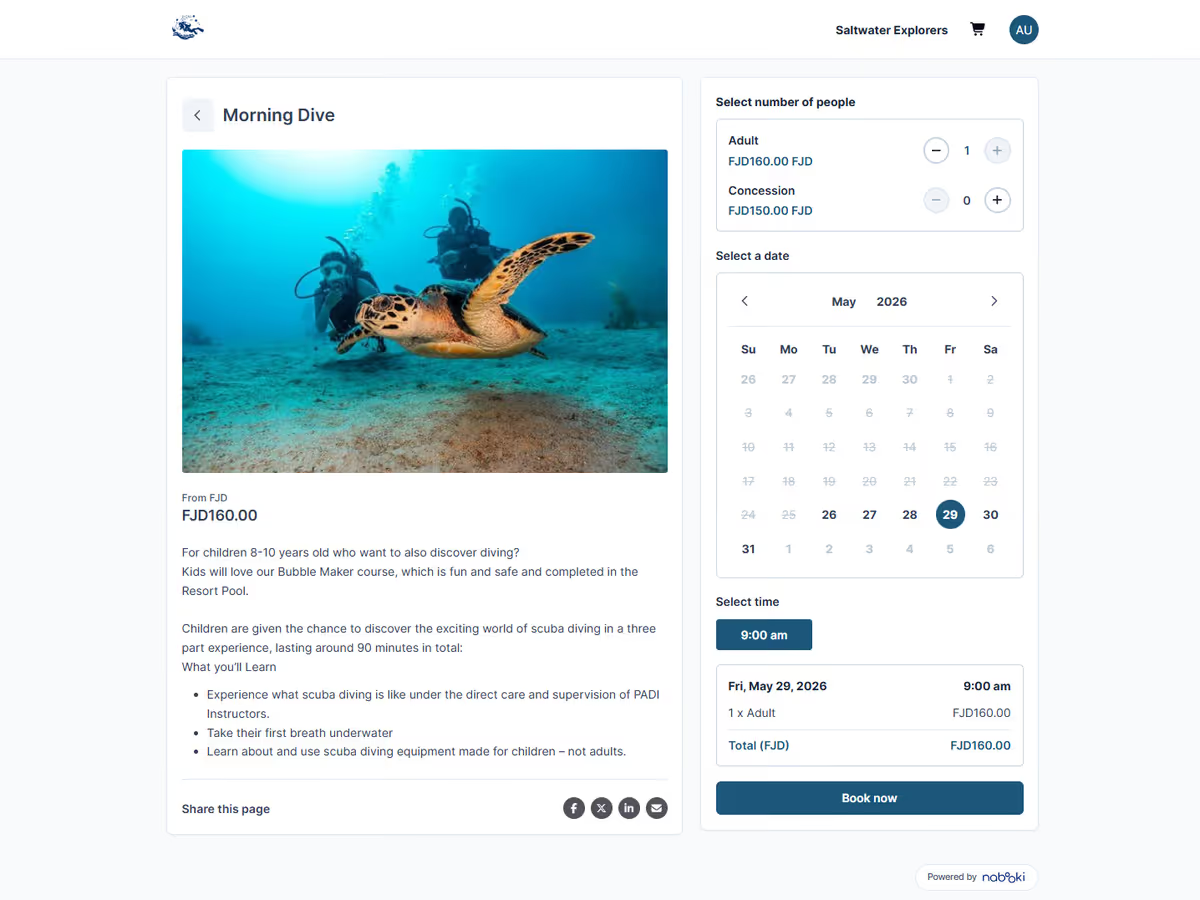
The booking widget embeds directly into your existing website, so customers book on your domain rather than being redirected to a third-party page. Real-time availability, instant confirmation, mobile-friendly checkout, and your branding throughout.
Embeddable booking widget
Drop the booking tool into any page on your site with a snippet of code. Customers see live availability and can book without leaving your brand environment.
Hosted booking page
If you don’t have a website yet, or want a dedicated booking link to share in emails and social posts, every account includes a hosted booking page on a Nabooki URL.
Mobile-optimised checkout
The booking flow is designed for phones first. Most tour bookings now happen on mobile, so the checkout is built to work cleanly on small screens.
Shopping cart and add-on extras
Let customers add extras to their booking at checkout: equipment hire, transfers, merchandise, or any other add-on you configure. Each addition increases the average transaction value.
Branded experience
Apply your logo, brand colours, and tone of voice across the booking flow, confirmation emails, and customer messages.
Real-time availability
Availability updates the moment a booking is made, across every channel you sell through. No double-bookings from out-of-sync calendars.
Service Setup
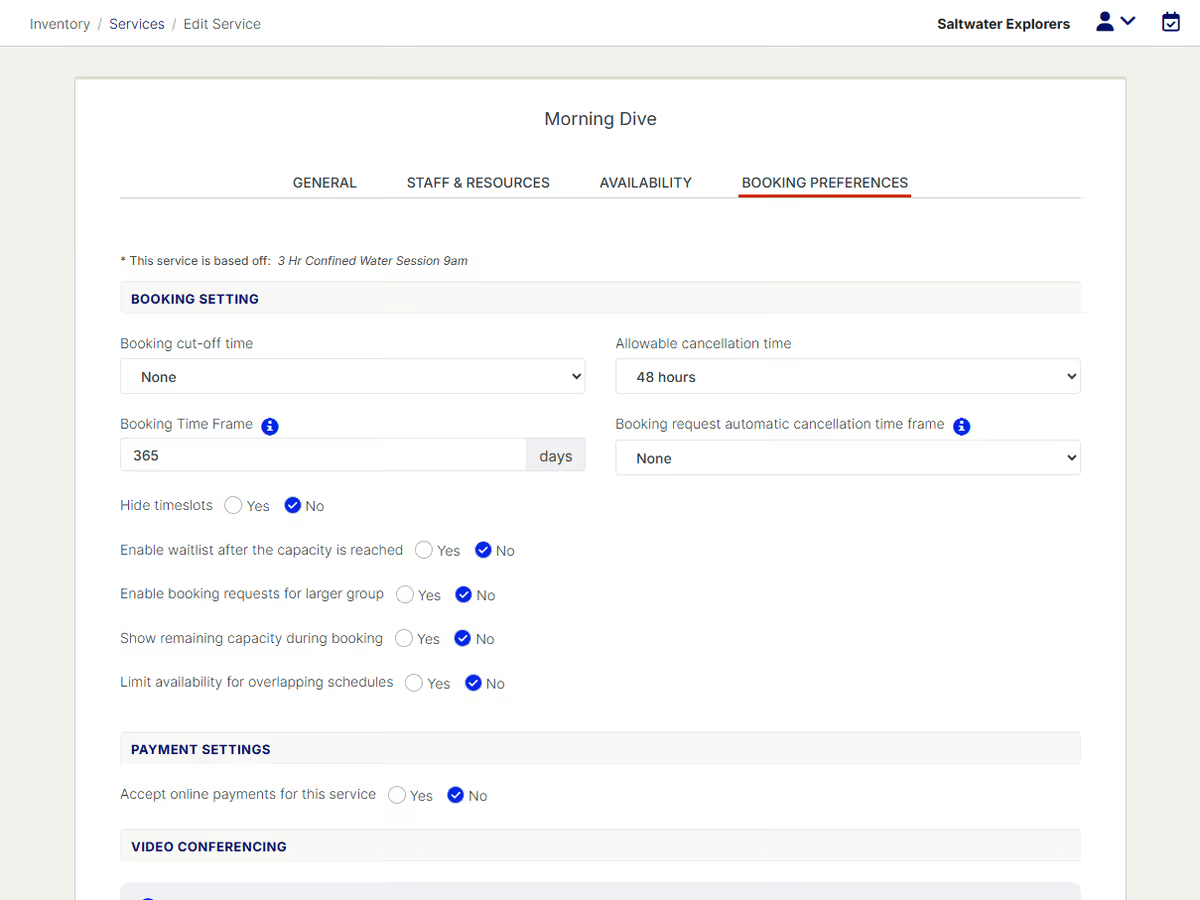
Most booking tools force you into a rigid template. Nabooki’s service setup is built to handle the variety that real tour and activity operators face: half-day and full-day departures, group versus private bookings, multi-session courses, seasonal pricing, and the long list of small rules that make each operation unique.
Service types
Configure individual departures, scheduled group sessions, private group bookings, or hybrid setups where the same service can be booked either way.
Multiple sessions
Build itineraries or courses made up of more than one session. Customers book the series in a single transaction, and the system tracks attendance across each date.
Timetables
Use the timetable widget to show time-based schedules for an easy booking experience.
Pricing categories
Set different prices for adults, children, concession or any custom category your business uses.
Capacity controls
Set per-departure capacity limits and minimum numbers, with automatic cut-offs when a session fills up.
Booking cut-off and lead times
Decide how far in advance customers must book, and how late you’ll accept same-day bookings. Configure independently for each service.
Cancellation rules
Set the window in which customers can self-cancel or reschedule, and the refund rules that apply.
Custom booking forms
Capture the details you need at the time of booking: pickup location, dietary requirements, experience level, emergency contact, gear sizes, ID details. Configurable per service.

Operations
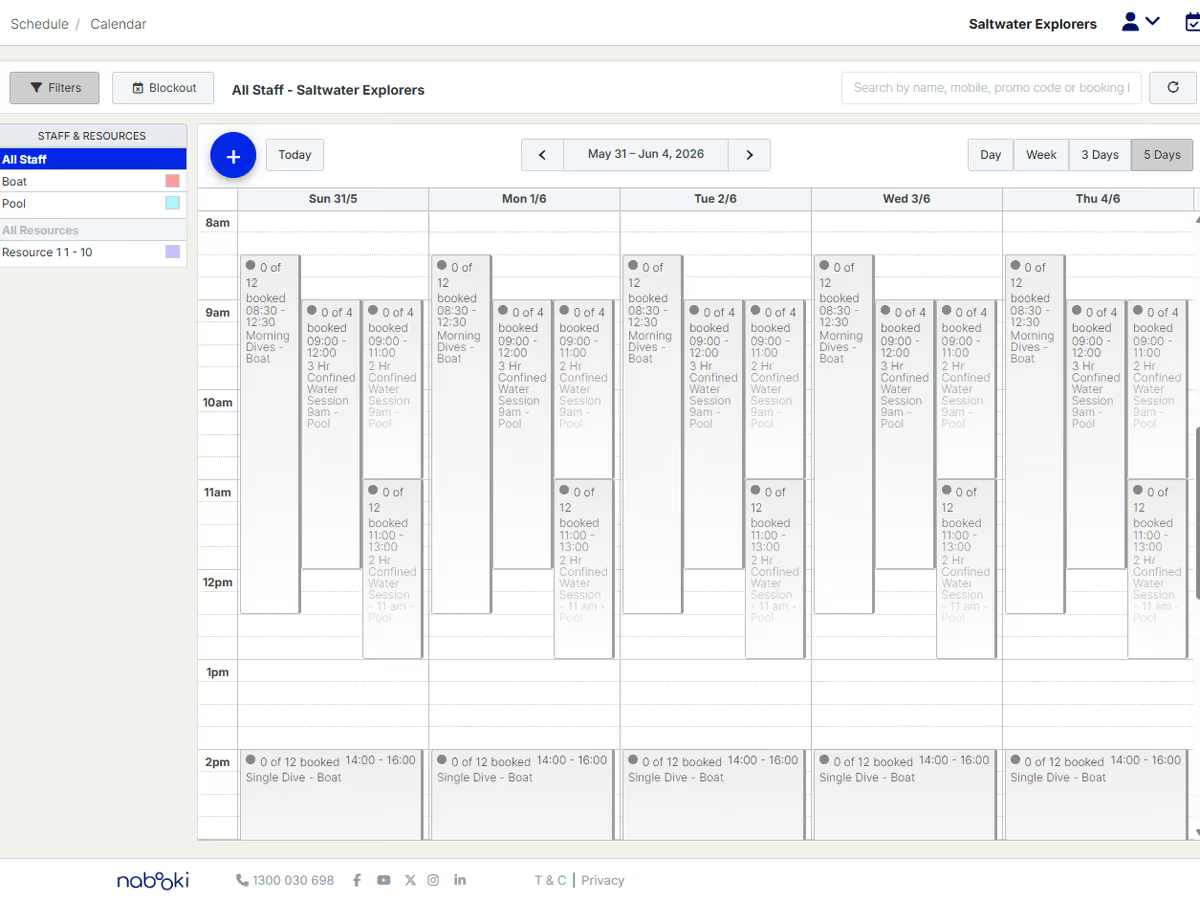
Bookings come in from your website, your social channels, walk-ups, phone calls, and connected distribution partners. They all land in the same calendar, in real time, so your team is never working from a stale view.
Unified calendar view
See online, in-person, and phone bookings in a single calendar. Filter by service, staff member, or resource.
Day, week, and month views
Switch between operational views depending on whether you’re planning the season or running tomorrow’s departure.
Manual bookings
Add walk-up or phone bookings directly into the calendar without forcing the customer to use the online flow.
Booking detail panel
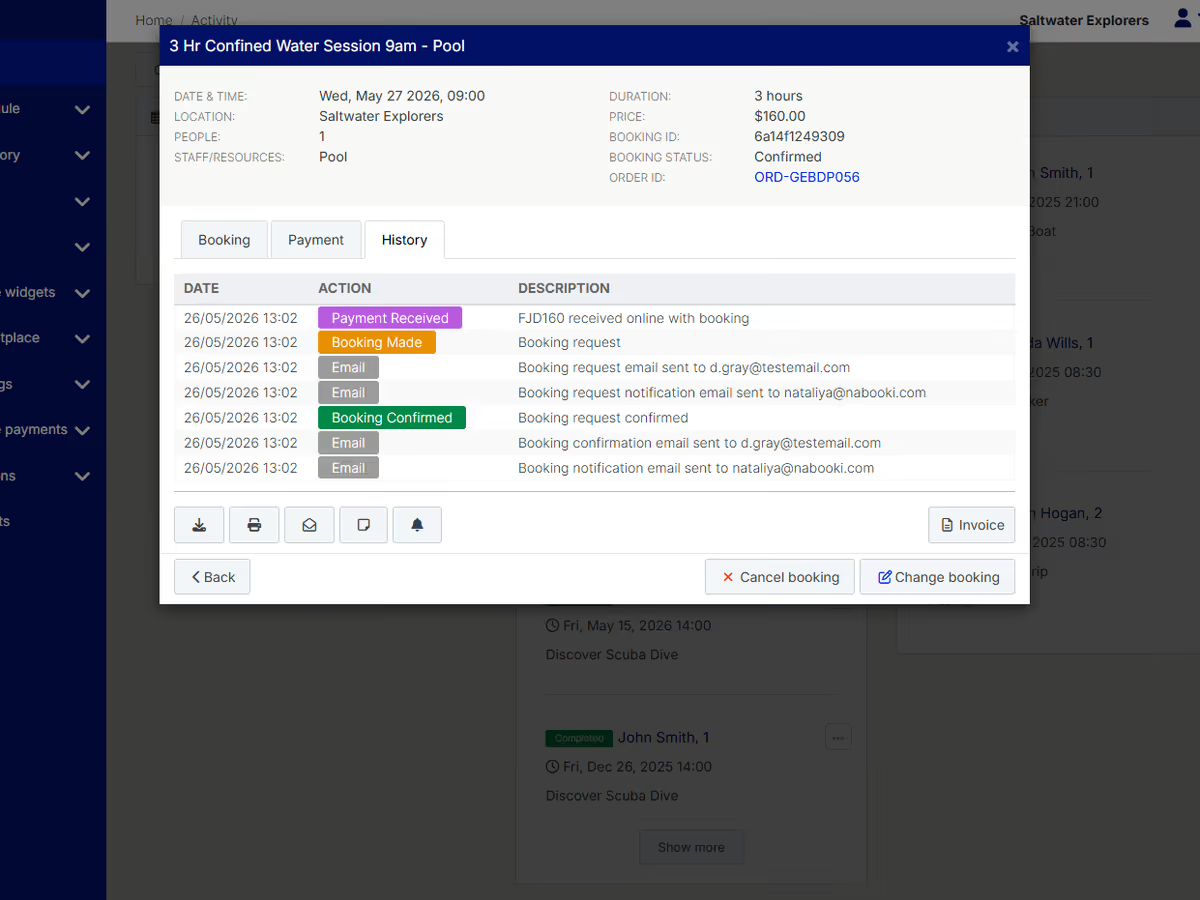
Open any booking to see customer details, payment status, custom form responses, and message history in one place.
Reschedules and modifications
Move bookings between dates, adjust party sizes, or change services without needing to cancel and rebook.

Payments
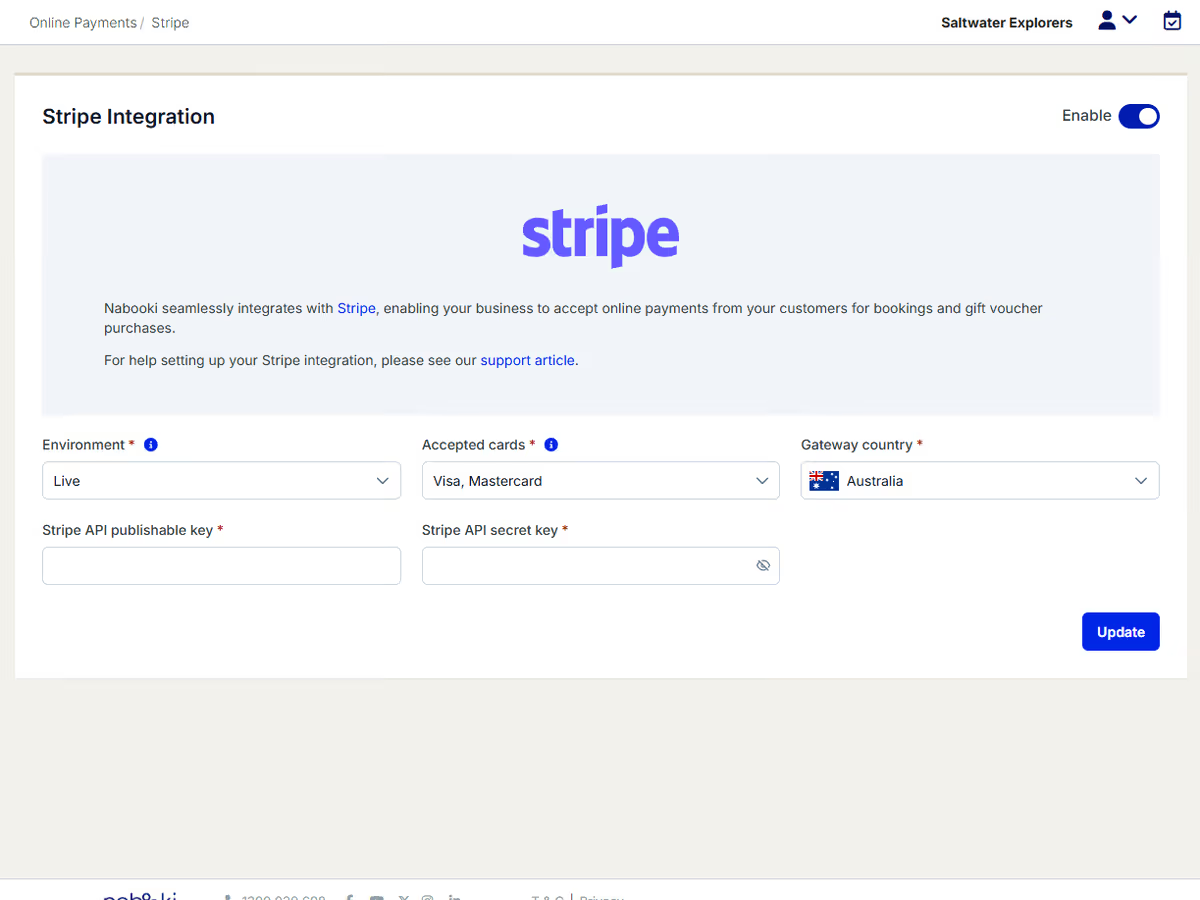
Nabooki connects to the major payment gateways, so you can keep working with the provider you already trust. Configure deposit rules per service, take full payment upfront, or send a payment link to settle a balance later.
Supported payment gateways
Connect Stripe, eWay, PayPal, Square, Braintree, or Kovena. Funds settle directly into your own merchant account.
Full or partial payments
Charge customers in full at the time of booking, or take a deposit (10%, 25%, or 50%) and collect the balance later. Configurable per service.
Manual payment entry
Record bookings paid by cash, EFT, or invoice so the calendar reflects the true state of your business.
Refunds and credits
Process refunds or offer rescheduling in a few clicks, with the audit history attached to the booking.
Streamlined invoicing
Generate and send invoices, with optional integration to your accounting software via Zapier or supported connectors.
In-person payments Coming soon
Accept payments at the point of service with terminal integration. Take walk-up bookings, on-site sales, and balance collections without switching systems.

Revenue Tools
Pricing flexibility is one of the most underused levers in tour operations. Nabooki gives you the tools to run promotions, discount specific dates, and create separate price points for off-peak periods, without setting up parallel services or messy workarounds.
Promo codes
Create discount codes that apply to specific services or date ranges. Use them in email campaigns, partner agreements, or repeat-customer offers.
Promotional bookings
Set up discounted versions of a service with their own pricing, availability windows, and capacity limits. Useful for early-bird offers, weekday specials, and seasonal campaigns.
Closed-group offers
Run private booking links with custom pricing for corporate clients, schools, or partner organisations.
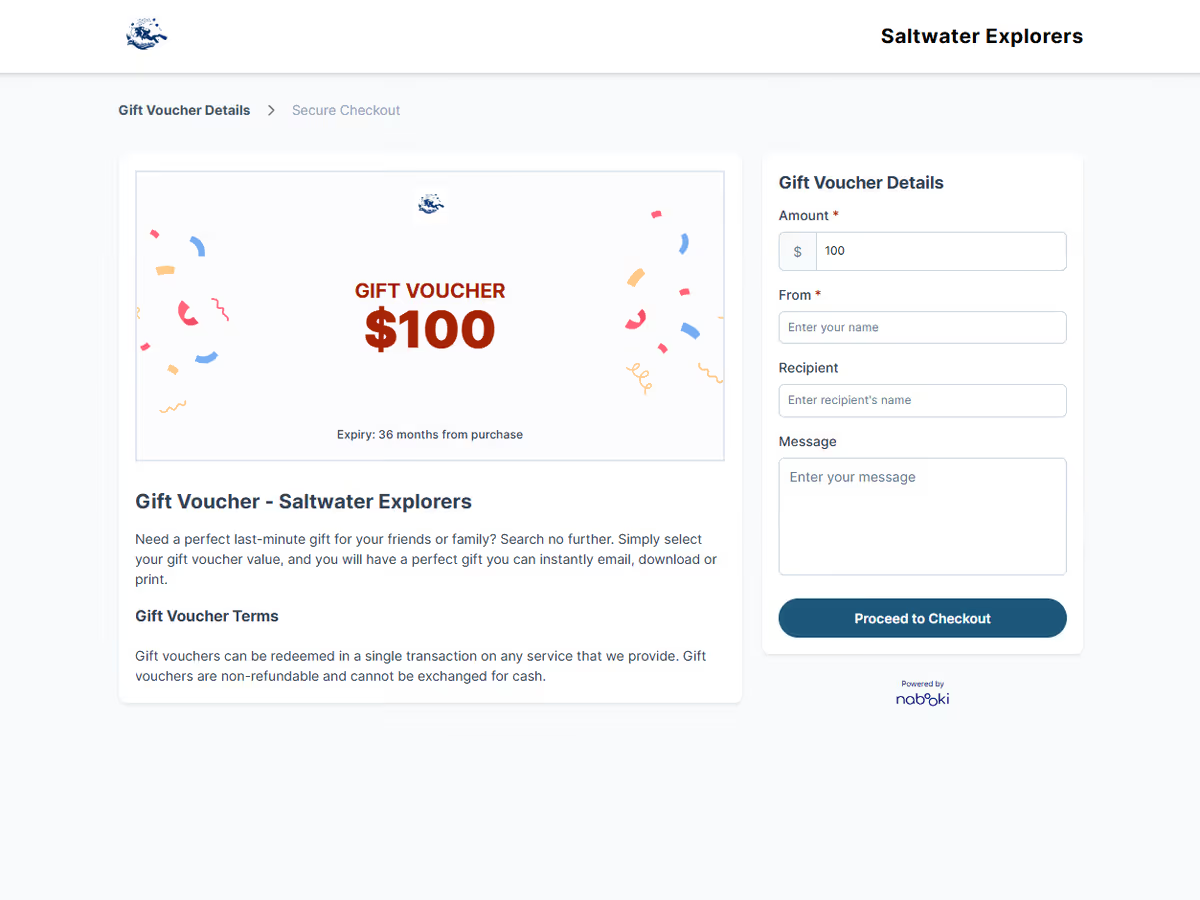
Gift vouchers
Sell branded gift vouchers through the same booking flow, redeemable against any service you nominate.

Customer Data
The customer relationship is the most valuable asset in your business. Nabooki captures every booking into a built-in CRM that you own outright. Export it whenever you want, sync it to your marketing tools, and use it to drive repeat bookings instead of starting from zero each season.
Built-in CRM
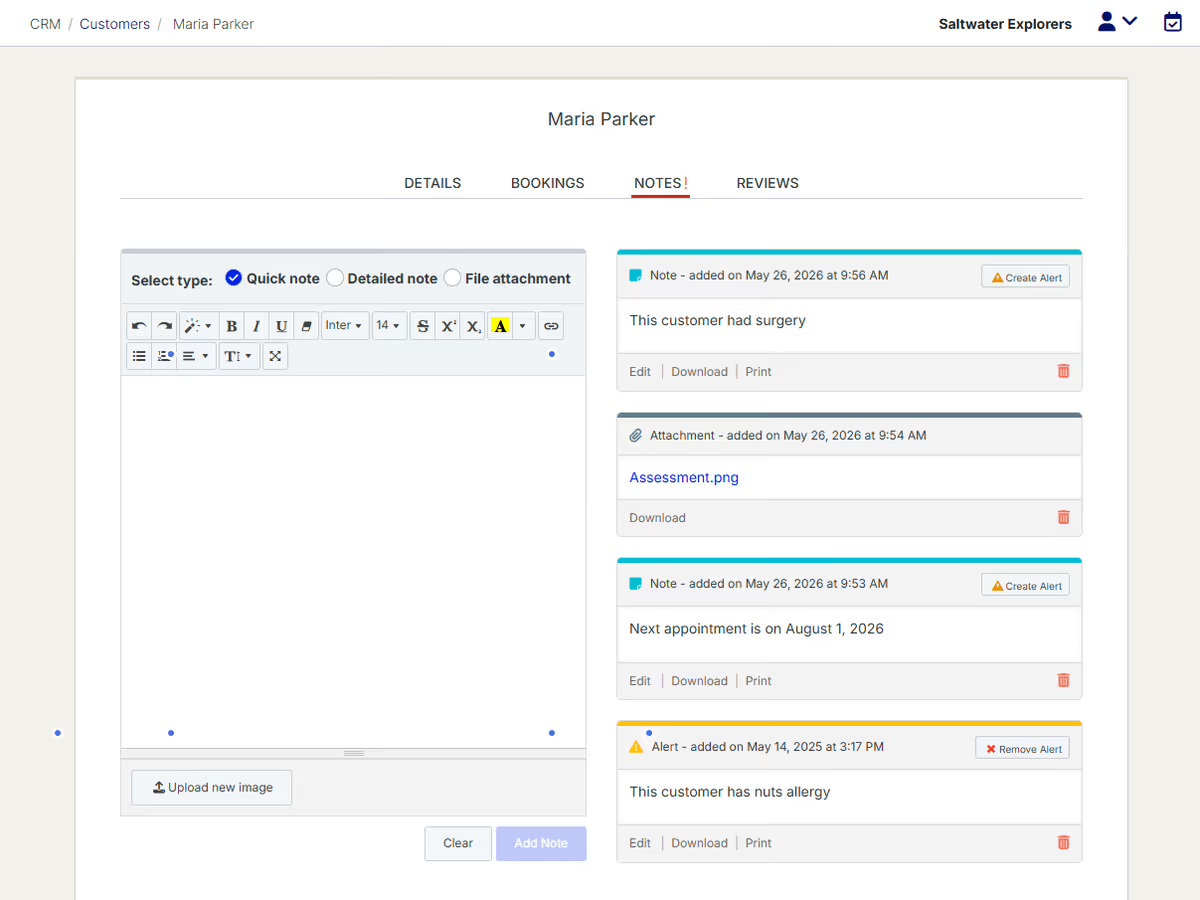
Every booking creates or updates a customer record. View booking history, custom form responses, communication history, and notes in one place.
Customer notes
Add private notes to customer records for things you want your team to remember next time, from accessibility needs to standing requests.
Full data export
Export your entire customer database to CSV at any time. No lock-in, no waiting for permission.
Marketing platform sync
Native integration with Campaign Monitor, plus Zapier connections to Mailchimp, Klaviyo, ActiveCampaign, and most major email platforms.
Tagging and segmentation
Filter customers by service booked, frequency, value, or custom criteria for targeted follow-up campaigns.

Communications
Every tour generates the same set of customer communications: booking confirmation message, reminder, review request. Nabooki handles all of them automatically, with the ability to customise the content per service so you can include the details that actually help your customers turn up prepared.
Automated email confirmations
Branded confirmation emails sent the moment a booking is made, with custom content per service.
Automated reminders
Email and SMS reminders sent on the schedule you set, configurable per service.
Custom messaging per service
Add tour-specific instructions to each confirmation: meeting points, parking, what to wear, what to bring, and pickup details.
Staff notifications
Notify the right team members automatically when a new booking comes in or a customer modifies a booking.

Reputation
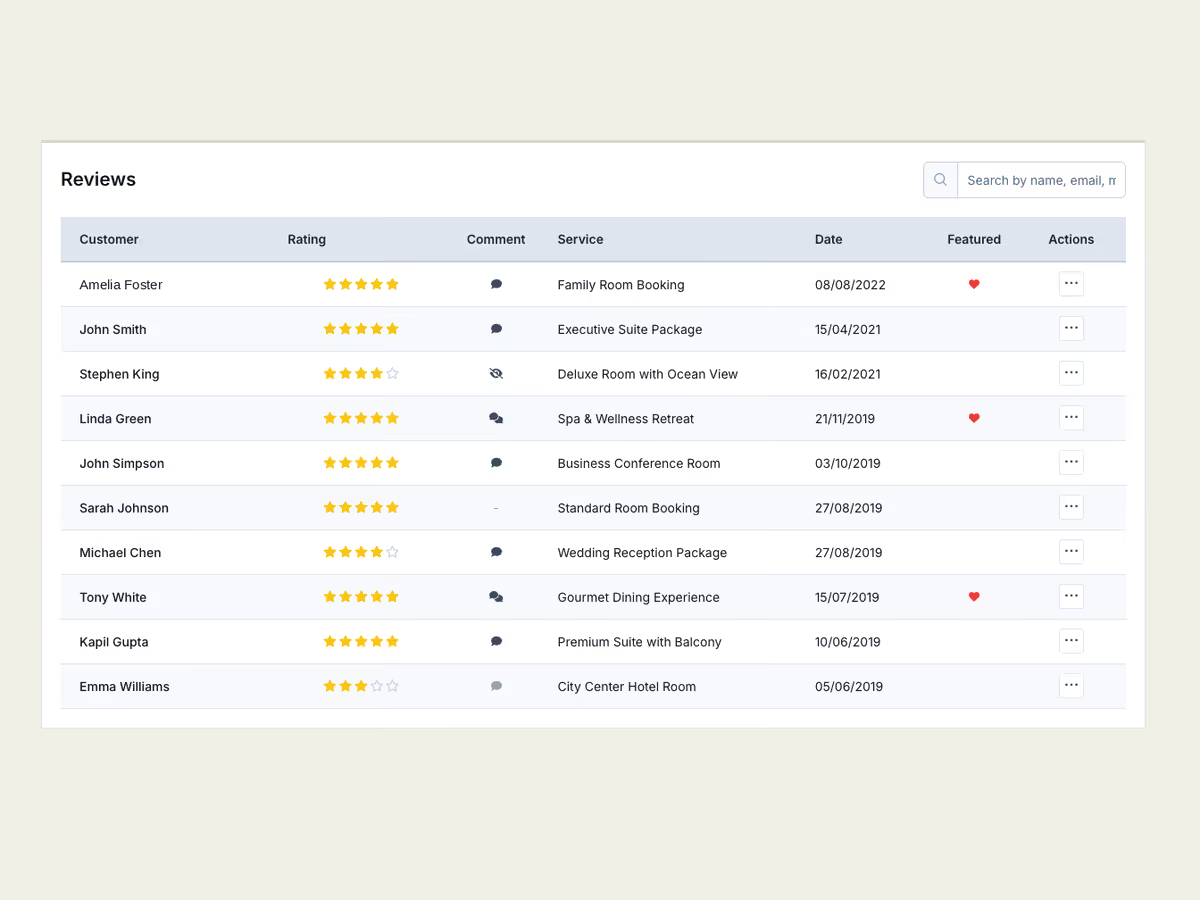
Reviews drive bookings. Nabooki sends an automated review request after every completed booking, collects verified feedback, and gives you a widget to display reviews on your website alongside your existing Google reviews.
Automated review requests
Triggered after the experience date, so you’re asking customers when the memory is fresh.
Verified reviews
Reviews are tied to actual completed bookings, so you can show prospective customers that the feedback is real.
Review moderation and responses
Approve reviews before they go live and post public responses to feedback.
Reviews widget
Embed a reviews widget on your website that displays Nabooki feedback alongside Google reviews in a single panel.

Staffing
If you run multiple guides, multiple vehicles, or finite equipment, the booking calendar needs to know what’s actually available, not just what’s theoretically scheduled. Nabooki’s staff and resource management ties bookings to real-world capacity, so you don’t end up with two groups assigned to the same guide or three customers booked for two kayaks.
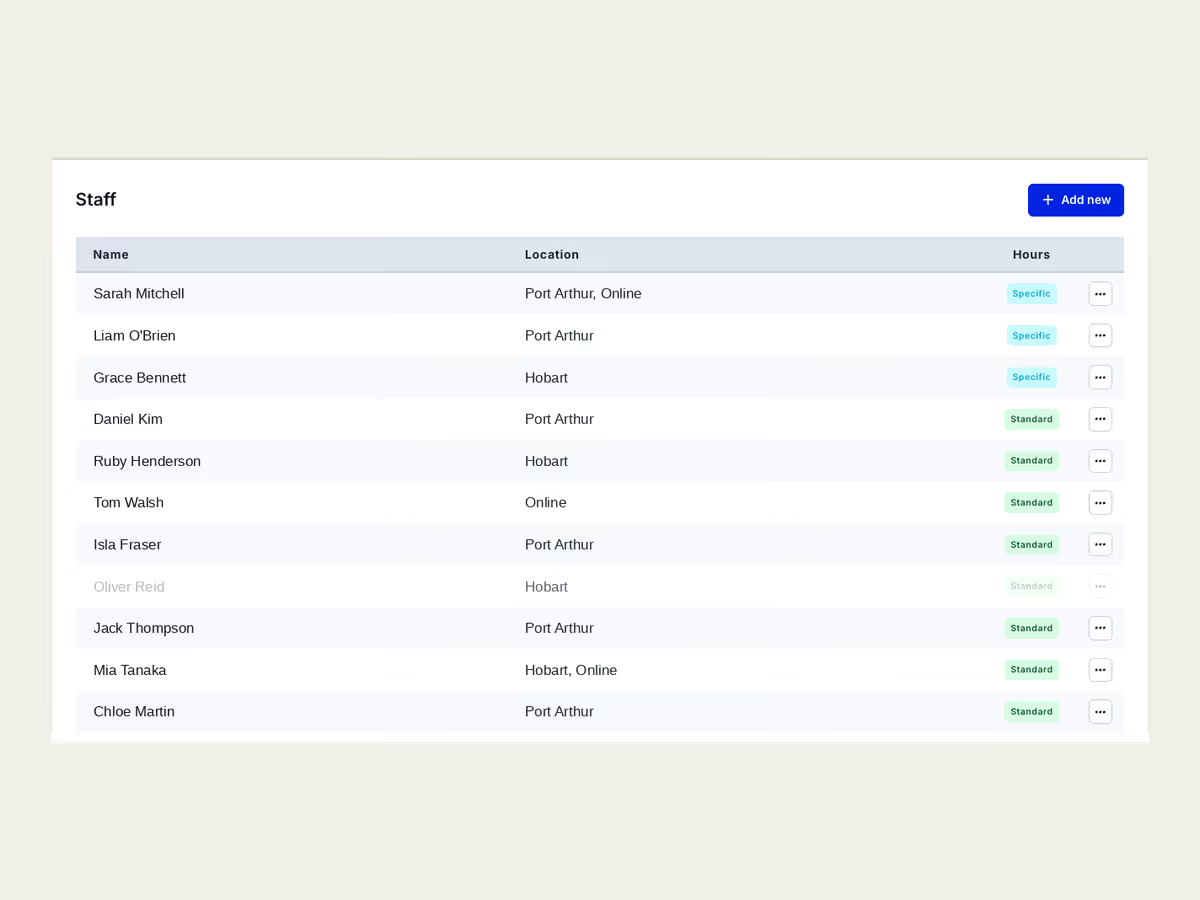
Staff scheduling
Assign bookings to specific team members and view individual staff calendars.
Resource management
Tie bookings to physical resources (vehicles, equipment, rooms) so availability reflects what you actually have on hand.
Time-based booking rules
Restrict bookings to operating hours or specific time windows (e.g., daylight hours or tide-dependent windows).
Waitlists
Capture interest when a session fills up, and notify customers automatically when a spot opens.

On the Day
Booking software is only useful if it works on the day of the experience. Nabooki gives your team a clean, mobile-friendly view of who’s coming, what they’ve booked, and what they need. No printed clipboards, no chasing the office for the latest list.
Daily agenda and manifest
A clean view of every booking for the day, with attendee details, custom field responses, payment status, and pickup notes.
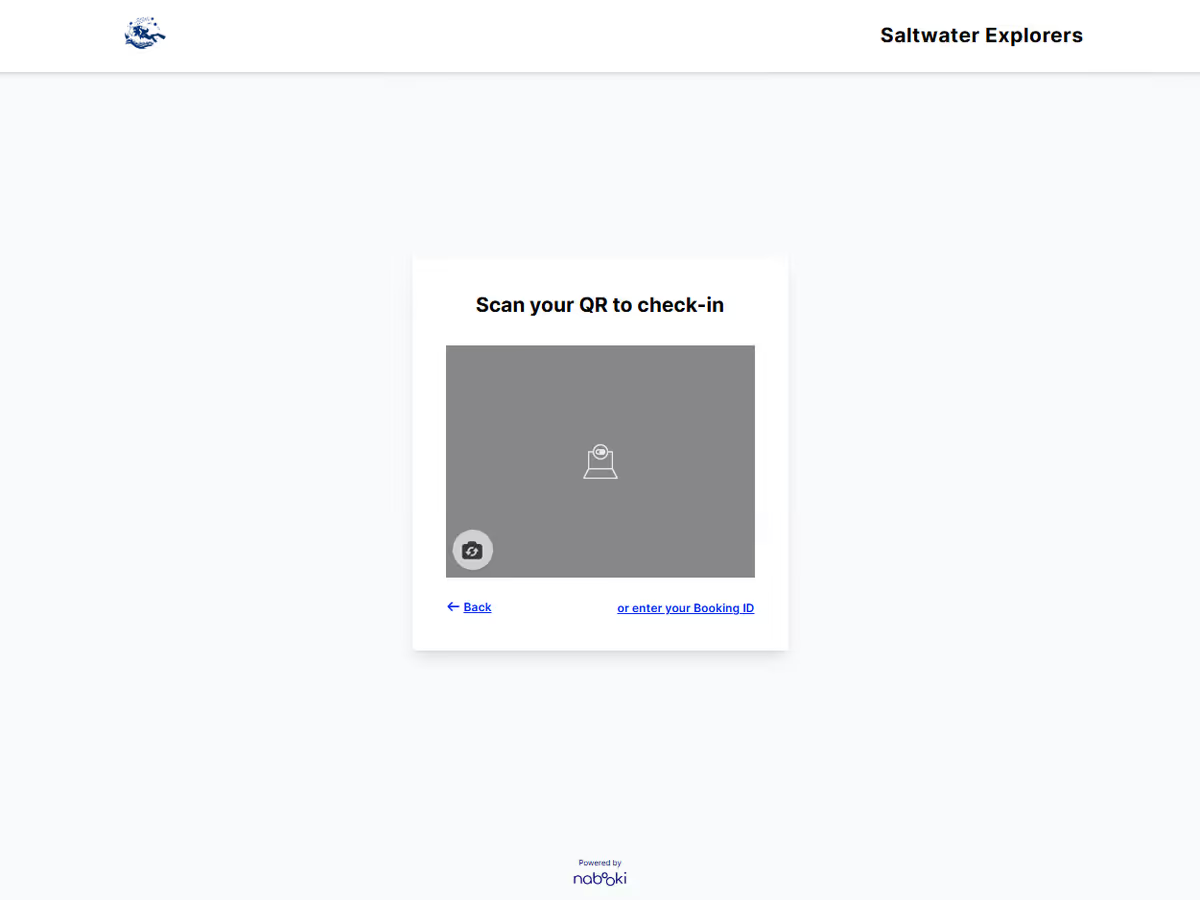
QR code check-in
Scan attendees in on arrival using any camera-enabled device. No app install required.
Attendance tracking
Mark customers as checked in, no-show, or late, and see attendance history against each customer record.
Mobile management
Run the full system from a phone or tablet. Take bookings, modify schedules, message customers, and check people in from the field.

Distribution
Direct bookings should be the foundation of your business. But there’s a place for OTAs, agents, and reseller channels when the economics make sense. Nabooki is built to prioritise direct bookings while giving you the option to plug into wider distribution on your own terms.
Reserve with Google
Let customers book directly from Google Search, Maps, and the Google Assistant, with availability synced in real time.
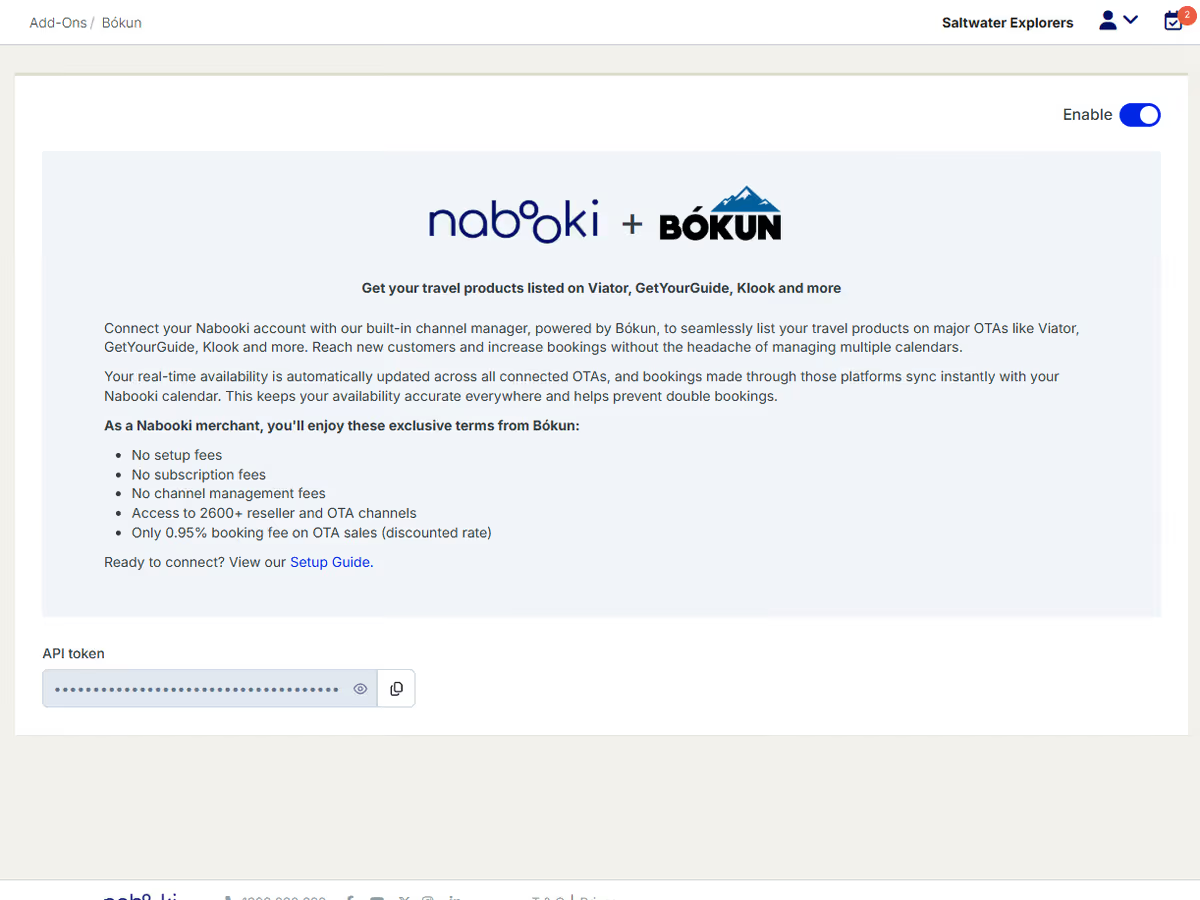
OTA connections via Bókun
Connect to major OTAs and reseller networks through the Bókun channel manager, with availability and pricing managed centrally in Nabooki.
Agent and reseller logins
Provide trusted partners with their own login to make bookings on your behalf, with their own pricing and reporting.

Integrations
Nabooki is built to fit into your existing tech stack, not replace it. Native integrations cover the platforms tour operators rely on most, and Zapier extends those connections to thousands of additional apps.
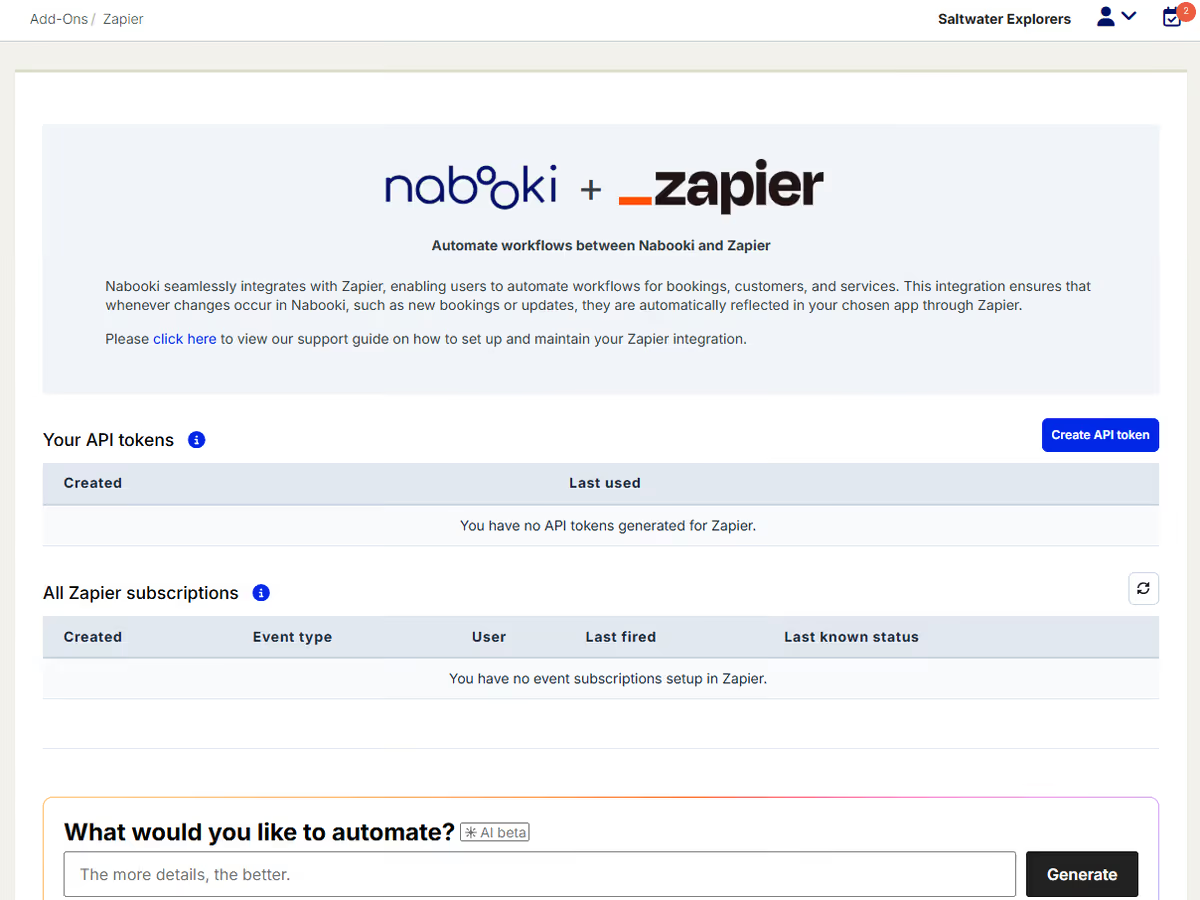
Zapier
Connect Nabooki to thousands of apps for marketing automation, reporting, accounting, and operations workflows, with no code required.
Campaign Monitor
Native integration that keeps your customer list synchronised for email marketing campaigns.
Google Calendar
Two-way sync with Google Calendar so your bookings and personal schedule stay aligned.
Google Tag Manager
Drop in your existing tracking and analytics setup to monitor booking funnel performance.
Zoom
For online or hybrid experiences, Zoom links are added automatically to booking confirmation emails.
Payment gateways
Stripe, eWay, PayPal, Square, Braintree, and Kovena.

Reporting
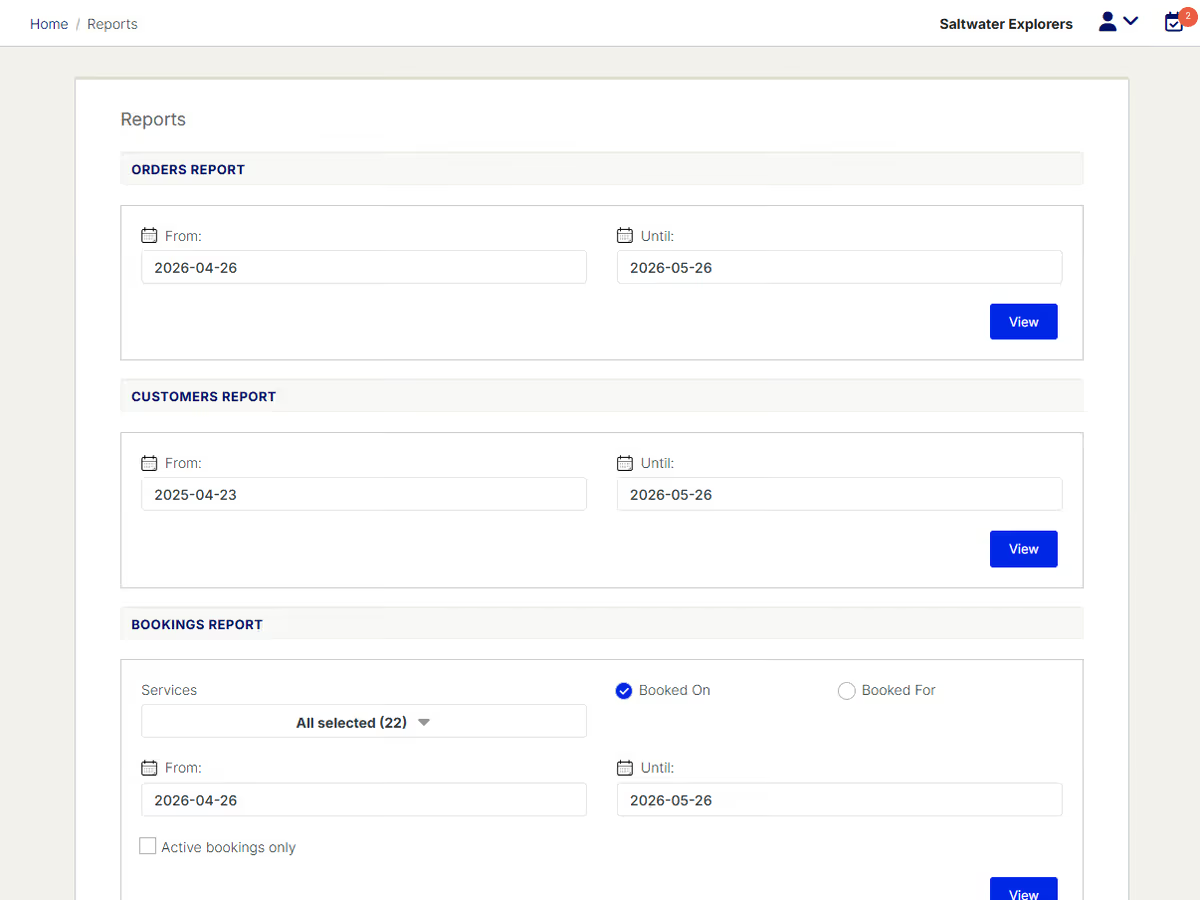
Reporting is how you turn a season’s worth of bookings into next season’s strategy. Nabooki gives you visibility into bookings, customers, sales, and channels in formats you can act on.
Booking reports
View bookings by service, date range, source, or staff member.
Revenue reports
Track revenue across services, identify your best performers, and see which channels are pulling their weight.
Customer reports
Identify repeat customers, segment by lifetime value, and find opportunities for follow-up campaigns.
Export to CSV
Export any report for further analysis in Excel, Google Sheets, or your BI tool of choice.

Security
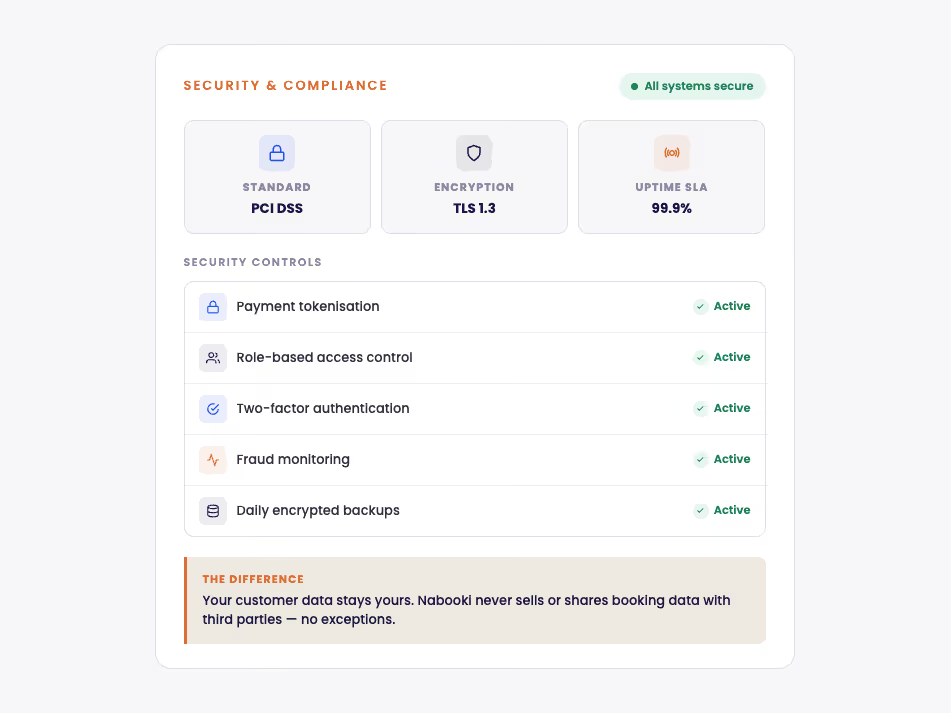
Nabooki powers tourism marketplace programs for state government bodies, and the platform is built to the security and reliability standards that level of work demands. Operators on a $75 plan benefit from the same infrastructure that runs government-scale programs.
Enterprise-grade security
Encrypted data in transit and at rest, with secure handling of customer information.
Government-grade standards
Built and operated to standards that meet Australian government procurement requirements.
Automatic daily backups
Your data is backed up daily, with secure recovery in place.
Reliable uptime
Hosted on infrastructure built for the demands of high-volume tourism programs.

Full access, no credit card required. Set up your services, customise your booking flow, and take your first booking in under an hour.